
Good website images begin with a clear brief: what should this picture help a customer understand? A photograph of completed work, a product detail and a decorative banner each have a different job.
This checklist helps Carlow businesses prepare images for a new website or content update. It covers selection, approval, file preparation and text alternatives, with a genuine Carlow PPN website example and a handover record you can copy.
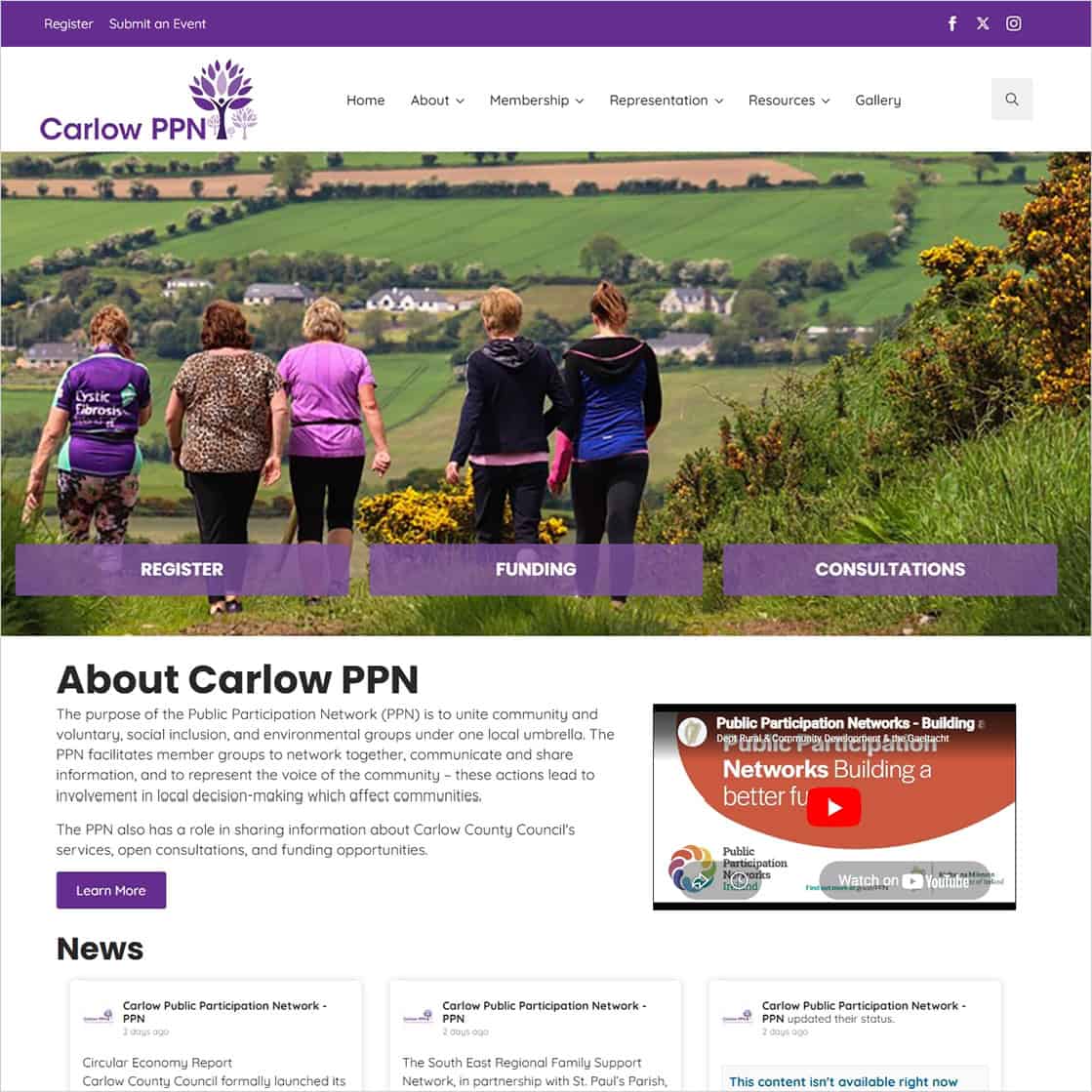
Project pictured: the Carlow PPN website. Website design and build: Istech Web Design. The featured image is an existing website screenshot from our published project article.
Start with the page and the question it answers. A service page might need to show the type of work you undertake. A product page may need views of an item and its selectable options. A community website might need an approved image that supports a particular update or activity.
Make a short shot list before organising photography or selecting files:
For project images, distinguish your own work from reference material. Do not present a supplier’s image or another business’s project as something you completed. Our service-page planning guide includes an evidence record for checking project facts and credits.
Ask the person supplying each image to identify its source, the agreed use and any required credit. If a photographer, supplier or client is involved, resolve the approval and credit wording before the image is placed on the page. Keep unresolved items out of the approved batch.
Check what is visible in the picture, including people, paperwork, screens, vehicle details or private premises. Ask the responsible person to approve the intended website use and identify anything that should be excluded. Record the approved version so a later upload does not accidentally replace it with an earlier file.
Keep photography credits separate from website project credits. A business that designed or built a website did not necessarily take every photograph displayed on it.
Supply the original available file alongside your brief, and retain an untouched copy. If the only copy you have is a small screenshot or a compressed message attachment, tell the designer so image quality can be assessed before it is used in a large position.
Agree the space the image needs to fit. A wide banner, a portrait card and a product thumbnail can require different crops. Identify the subject or detail that must remain visible, and review a sample crop before preparing a full batch.
Google’s image guidance recommends balancing quality with image optimisation and responsive delivery. Ask the person preparing the website versions to check dimensions, format, compression and the resulting appearance. There is no single file-size or pixel-dimension target in this guide that suits every image.
Use short, descriptive filenames for new image files and place images beside relevant page text. Google advises useful descriptions in context and warns against keyword stuffing. Renaming an image already used on a live website is a separate change: ask the provider to check its references before altering its URL.
For online shops, connect each image to the correct product and variation. Use the product-information guide to organise those records before catalogue entry.
Alt text is a text alternative used when an image cannot be seen. The right wording depends on what the image contributes in that particular place. W3C’s Images Tutorial and alt decision tree distinguish several cases:
For an illustrative photograph of a finished gate, describe the relevant visible gate features rather than inserting a list of towns and services. For an image-only link to a project, the destination matters. These are writing prompts; the final wording must match the actual image and how it is used.
A caption can supply visible context and credits. Alt text should serve its own purpose in the page context. Do not assume a filename, caption or media-library title automatically provides the right text alternative.
The live Carlow PPN website provides routes to membership, representation, resources and a gallery. Our featured screenshot shows the website, rather than an original photograph supplied for a business image brief.
Website design and build: Istech Web Design. The live website footer credits Istech. This credit relates to the website project and is not a claim that Istech photographed the individual images within it.
The practical lesson for an organisation preparing its own material is to keep the image, its purpose and the approved caption together. Identify the activity and any necessary credit from verified records; do not guess identities, places or outcomes from the picture alone. The screenshot is a project example, not evidence of measured search or performance improvements.
Check the image in the actual page layout at both sizes. Is the important subject still visible? Does a crop remove a product detail or a person’s face? If a heading sits over the image, can it still be read?
Check captions and credits, linked-image destinations and the text alternatives in the rendered page. Important instructions, contact details and other essential information should also be available as page text rather than relying only on a picture.
Record the approved desktop and mobile views and who checked them. If you later replace an image, repeat the checks for that position.
Before a Carlow website design project, agree who supplies, selects, prepares, uploads and approves the images. Confirm whether photography, image editing or catalogue entry is included in the quotation.
For an existing website, discuss new images and content changes separately from the agreed technical upkeep under your Website Maintenance & Care Plan.
Please note: content changes (text edits, new images, new pages or layout changes) are not included in maintenance plans and are quoted separately. This keeps the plans focused on technical upkeep and site stability.
We will agree exactly what is included before you start, so you know what you are getting for your yearly fee.
Preparing images for a website? Contact Istech with your website address and the pages you want to work on. The completed checklist can help define the image work required.