

A website handover should leave your business able to carry out its agreed everyday tasks and know who to contact when something needs attention. A working homepage and a login are only part of that conversation.
For a Carlow shop, the next task may be correcting product information. For a community organisation, it may be publishing a notice after a committee change. Use this guide to agree what your team will receive, demonstrate the important tasks and record anything still outstanding before sign-off.
Prepare your handover:
Bring the accepted proposal and any approved changes to the handover meeting. List the pages, forms and features included, who approved the content and which items your team will manage afterwards. Separate an incomplete agreed item from a new request so that the next action is clear.
If the website replaces an older one, bring the list of changed page addresses too. Our Website Redesign in Carlow guide covers the planning and launch checks to prepare before the handover.
Create an account register that records the service, account holder, responsible contact, renewal date and where authorised access is managed. Keep passwords and recovery codes in your agreed secure storage, outside this checklist.
Do not assume that a website login also gives control of the domain, hosting or every connected service. Where a provider manages an account for you, document the arrangement and how an authorised request is handled. Identify the business contact who will receive renewal or recovery messages.
WordPress roles allow different sets of actions. Ask the developer to match access to the work a person needs to do and demonstrate that the chosen access works. WordPress explains its roles and capabilities here. A routine content editor does not automatically need every administrative permission.
Agree what is being supplied: approved text, original photographs, logos, downloadable documents, editing notes and any project-specific instructions included in the scope. Record where the current versions are stored and who keeps them up to date.
Ask which design files, code or other materials form part of the agreed delivery, and which third-party tools continue under a separate account or licence. Keep project credits with the relevant assets. Confirm the images and documents your team is authorised to reuse rather than assuming every file can be used elsewhere.
Choose a few representative journeys and try them on a phone and a desktop. Record the page, action, expected outcome, result and any follow-up required. Use test details agreed with your provider and confirm who receives test submissions.
Choose a sample product and ask the responsible staff member to demonstrate the editing tasks included in their training. Check the title, image, options, availability and delivery information that apply to that item. Where ordering is included, agree a suitable test procedure with the provider before creating orders or taking payments.
Write down who maintains prices and stock information, and how any external stock connection is supported if one is part of the project. Our guides to product information and categories and search help prepare those catalogue checks. A connection or ongoing product-entry service should be identified in the scope.
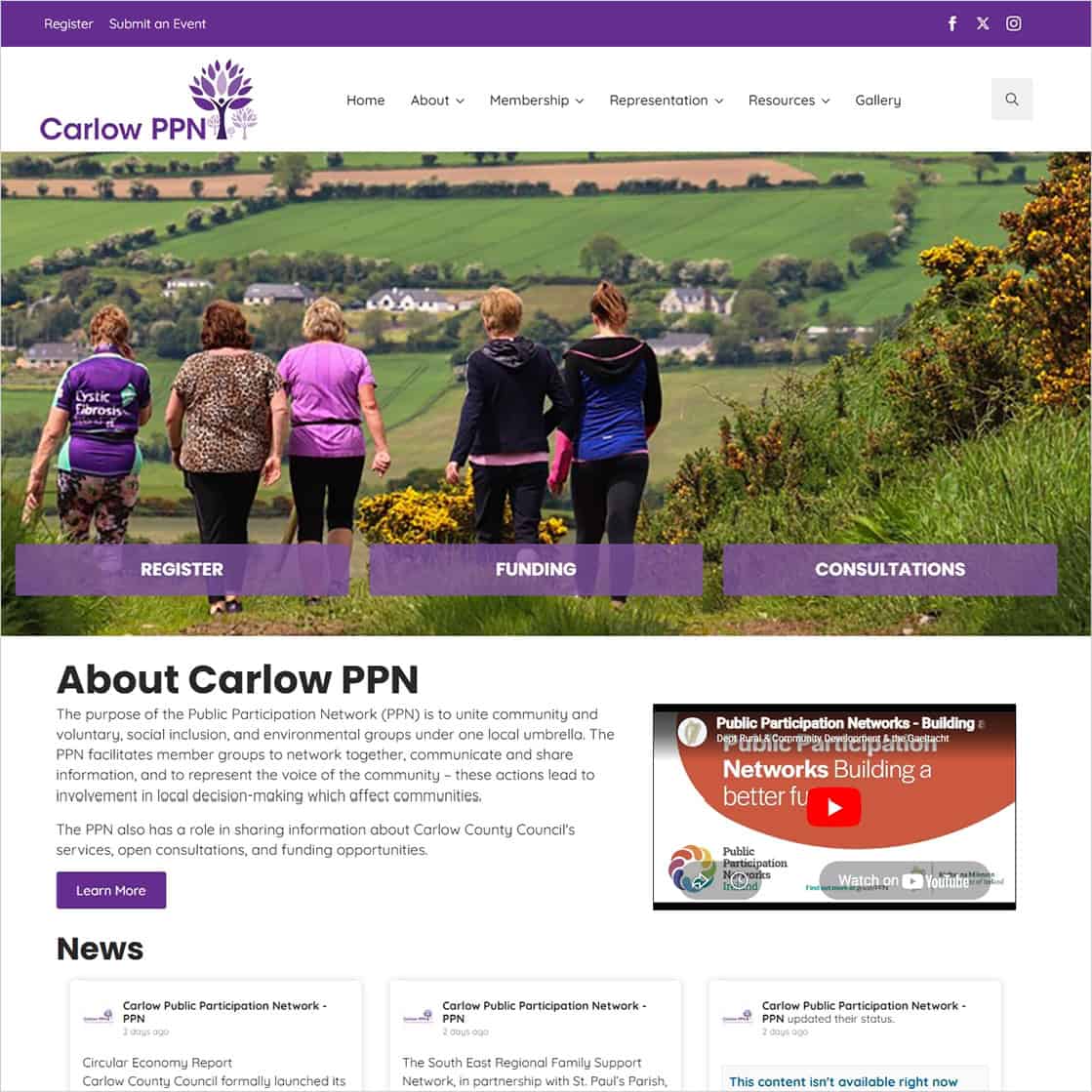
The Carlow PPN project provides a local example of a website serving several audiences. Its public information includes membership, representation and resources. Istech Web Design designed and built the website; you can view Carlow PPN online.
For your own organisation, choose training tasks around the information you publish: replacing a document, correcting a contact or updating an event, for example. Name the person who approves a change and the person who publishes it. Keep the instructions available to authorised successors when staff or committees change. Our community website planning guide covers those content responsibilities in more detail.
Ask for training around the tasks your team has agreed to handle. Have the intended editor complete a sample task while the provider is available to explain it. Record any gaps in access or instructions before calling the training complete.
Agree whether the handover includes written notes, a recording or another reference, and where it will be stored. Include the steps for previewing a change, getting approval and checking the published result. Name a main contact and an authorised backup contact so routine work has a clear owner.
Record who handles backups, what is covered, how often they run and who can request a restore. Ask how restoration is checked and what work or charges are outside the agreed support. WordPress explains that a typical full restore needs both website files and the database. Do not assume an export of article text is a complete site backup.
Confirm how to report a problem, what information to provide and the support arrangements included in your quotation. Record ongoing hosting, licence and other service renewals separately where applicable; the handover should not leave these responsibilities unclear.
Our Website Maintenance & Care Plans page sets out the boundary for technical maintenance:
Please note: content changes (text edits, new images, new pages or layout changes) are not included in maintenance plans and are quoted separately. This keeps the plans focused on technical upkeep and site stability.
We will agree exactly what is included before you start, so you know what you are getting for your yearly fee.
Keep one record with your project documents. Mark each item as checked, outstanding or not applicable, with a named person and date for anything still open.
Contact Istech with your website address and handover requirements. Whether you are planning a new Carlow website or discussing support for an existing one, we can agree the scope and responsibilities before work begins.